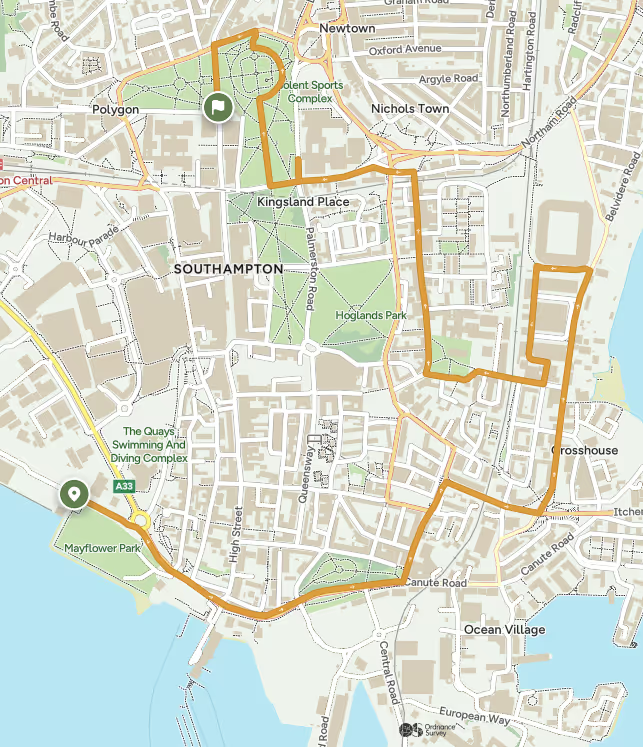
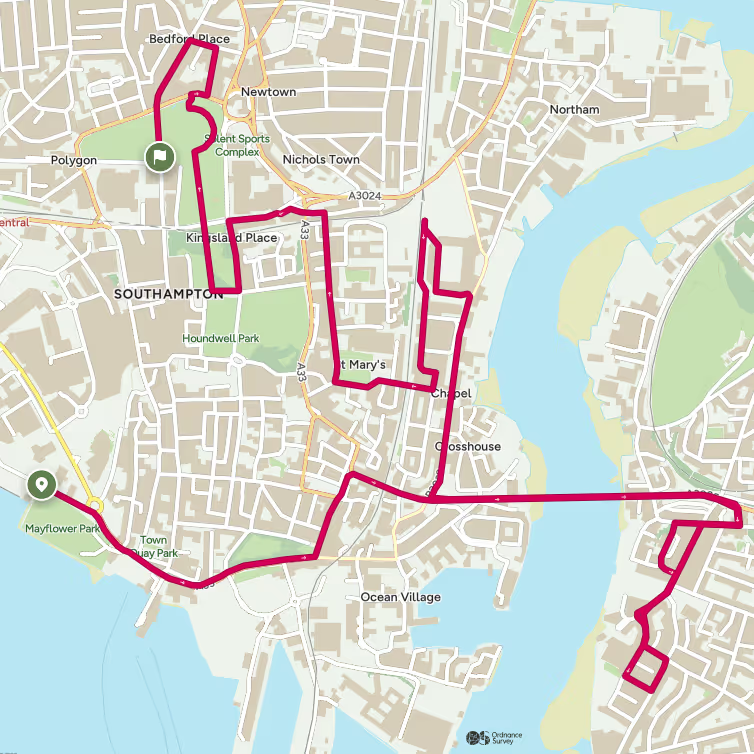
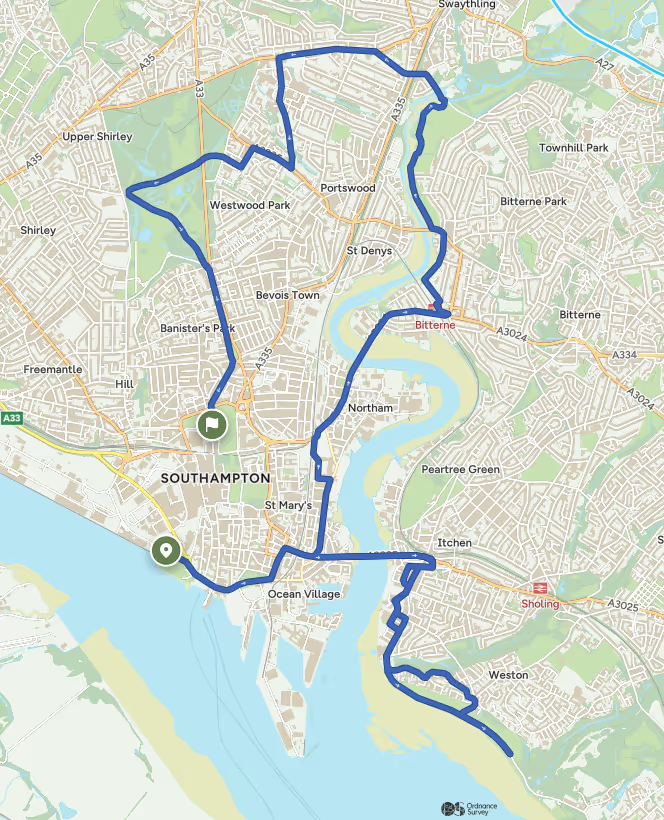
The ABP Southampton Marathon is the city’s largest running event, sponsored by Associated British Ports, the UK’s second largest container terminal and largest deep sea gateway. Running enthusiasts can select one of four distances to run, a Full Marathon, Half Marathon, 10K and 5K. Our 2 lap racecourse, supported by the half and full route features Southampton’s unmissable landmarks, historical sites, waterfront and park views all within eyesight of the participants' event experience.
This year we are partnering with national mapping agency Ordnance Survey to deliver a streamlined representation of the route, combined with inclusive offers to make the ABP Southampton Marathon experience and other challenges accessible to you on an extended three month trial.
The official ABP Southampton Marathon Festival routes are now available on OS Maps. You may notice a slight difference in the displayed distance compared to the official race distance—this is due to how online mapping platforms calculate routes. We’re working on an update to make this clearer. Rest assured, all routes are professionally measured, and certification will confirm that runners complete the exact distance for their event.


OS Maps & ABP Southampton Marathon Partnership

Download the GPX File
Download the GPX file
If the file is in a .zip folder, you’ll need to:
Open/unzip it
Extract the .gpx file inside
👉 Important:
You cannot upload a .zip file directly — you must use the .gpx file only
Upload to Your Watch (Garmin Example)
Option A: Using the App (iPhone & Android)
Open the Garmin Connect app
Tap More (☰) > Training & Planning > Courses
Tap Create Course
Tap the import icon (top right)
Upload/select your .gpx file
👉 Once uploaded:6. Press Save7. Choose whether to set the course as Public or Private
Option B: Using the Website
Go to Garmin Connect
Click Training > Courses
Click Import
Upload your .gpx file
Click Save and choose Public or Private
Sync to Your Watch
Make sure your watch is paired with your phone
Open the Garmin Connect app
Sync your device
👉 Your course will now be available on your watch
Find & Use the Route on Your Watch
On your Garmin watch:
Go to Activities
Select Run
Scroll to Navigate (Courses & More)Tap Courses
Select your saved route
Press Start / Do Course
Your watch will now:
Display the route
Help you stay on course
Alert you if you go off track
Other smartwatches may require third party apps to download race routes
⚠️ Tips Before Race Day
Upload your route ahead of time
Fully charge your watch
Test it if possible
Turn off unnecessary notifications to save battery
❓ Quick FAQ
Can I upload a ZIP file?
❌ No – you must extract and upload the .gpx file only
Do I need internet on race day?
❌ No – once synced, the route is stored on your watch


Redeem code SOTONMAPS3 on your device for a free three-month trial of OS Maps Premium
T&Cs:
Introductory offer for new UK Residents only. Promo code can only be redeemed via the OS Maps mobile app at time of sign-up. Unless cancelled, once the free trial has been completed, you will be charged the standard annual subscription price. Offer valid until 30st April 2025.
Sponsors
Title Sponsor



.avif)